Your first report
Open the report, find the change, and read it frame by frame.
On this page
npx motionpr report --openEach engine's report is .motionpr/report/<browser>/index.html (report/chromium/ for the
default engine): one self-contained HTML file plus an assets/ folder of frames. It opens from
disk (file://), needs no server and makes no network requests, so the same file works when you
download it from a CI run. .motionpr/report/index.html lists every engine's report with its
result; the report's top bar names the engine its captures were taken with.
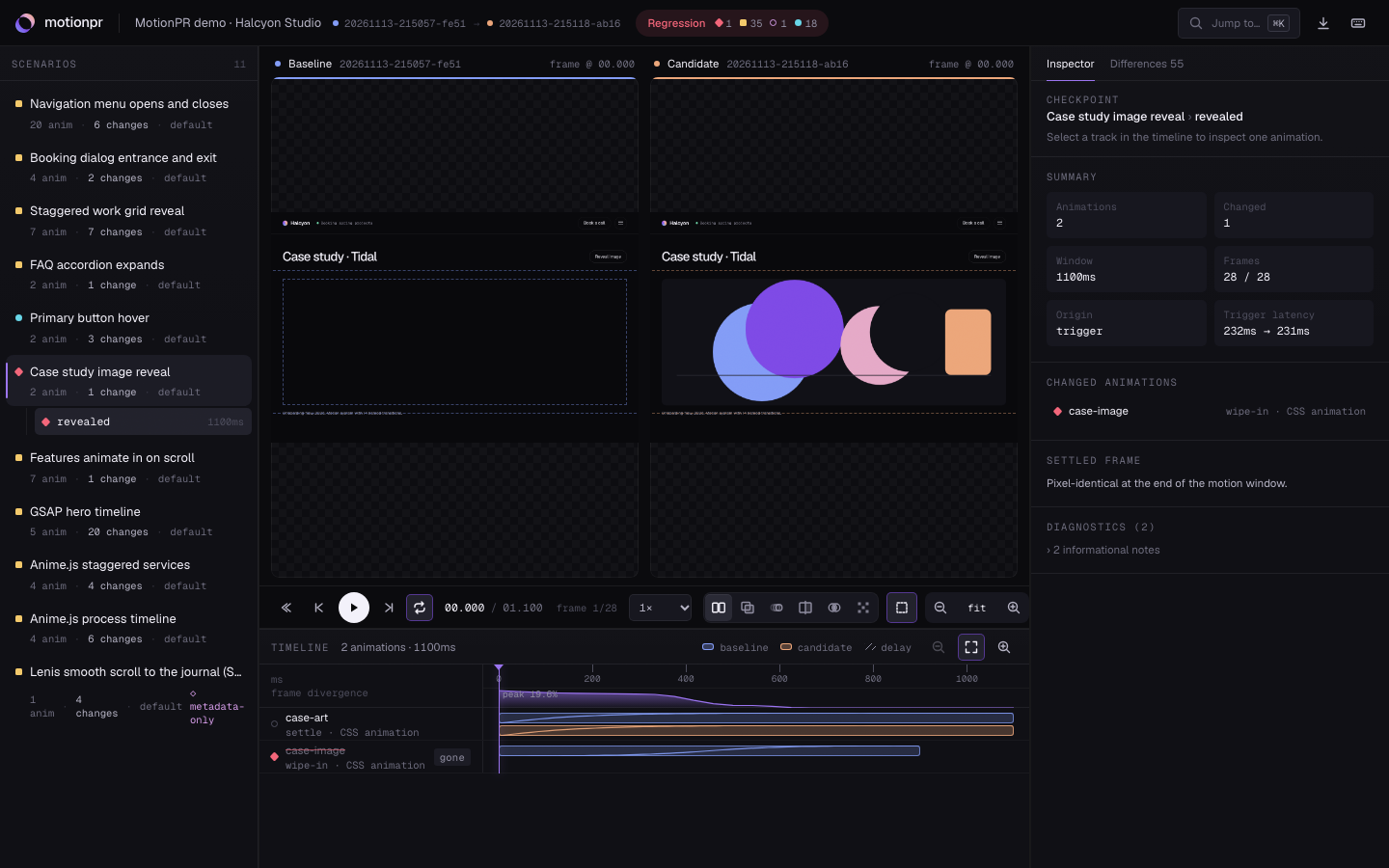
The screenshot is the report motionpr demo produces. Colours follow the MotionPR mark:
blue is the baseline (before), peach is the candidate (after), violet marks focus.
Read it in four moves
- Top bar — the result (Regression or Within thresholds) and counts per severity.
- Scenario navigator (left) — pick
menu-open@default, then its checkpointmenu-open. - Timeline (bottom) — the menu's row has a thin blue bar (300 ms) and a peach bar (600 ms).
The curve inside each bar is its easing. Press
Spaceto play both versions on one clock, or drag the ruler to scrub. - Inspector (right) — select the row to see each change with its severity and rule, the
timing table with deltas, both easing curves with the point of largest deviation, and the
sampled
translateXvalues over time.
Press 2 for overlay, 3 for onion skin with motion paths, 5 for a per-pixel difference, and
? for every shortcut. The complete tour is HTML reports.
Share it
- In a pull request: the download menu copies a Markdown summary to the clipboard. The same
summary is what
motionpr runappends to$GITHUB_STEP_SUMMARYin GitHub Actions. - As a file: zip
.motionpr/report/(the HTML file needs itsassets/folder next to it). - From CI: the workflow
motionpr init --githubwrites uploads the report as an artifact. See Report artifacts.
Where next
- Interaction scenarios: hovers, scrolls, forms, page loads.
- GSAP, Anime.js and Lenis: JavaScript engines need one line in your app.
- GitHub Actions: run MotionPR on every pull request.